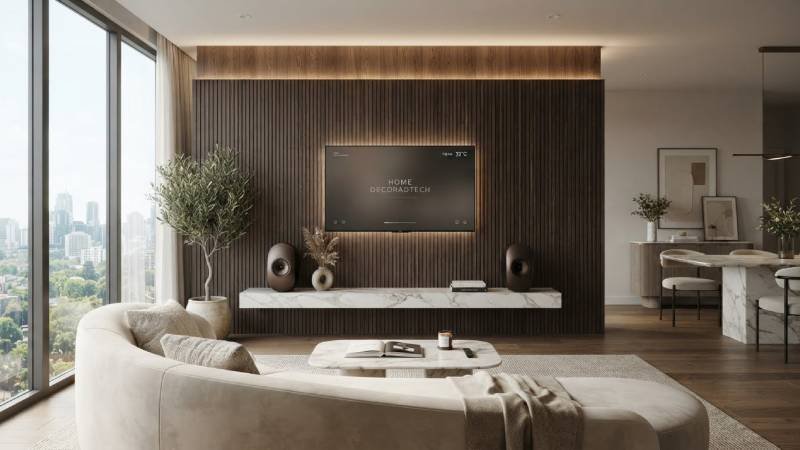
How to Upgrade My Home Decoradtech:Upgrading the tech in your home doesn’t have to mean a shelf full of gadgets that look like gadgets. The best home decor tech is the kind guests notice as part of the room, not as equipment bolted on top of it. Lights that warm up at dinner. Blinds that open before you wake. A screen that looks like a painting when it’s off.
This guide walks through the upgrades that actually change how a room looks and feels, with real price ranges and the mistakes that waste money.
Start With Light — It Changes a Room More Than Any Gadget
Light is the cheapest upgrade with the biggest visible payoff. Before you buy a single smart device, fix the two numbers that matter: color temperature and brightness.
Kelvin is the color, lumens are the brightness
Kelvin (K) controls the tint of the light. Lumens control how bright it is — the two are separate. A 2700K bulb and a 5000K bulb can both put out 800 lumens, so buying a “brighter” bulb won’t fix a light that feels cold.
A simple rule that works in most homes:
- 2700K–3000K for living rooms, bedrooms, and dining areas — warm and relaxing
- 3500K–4000K for kitchens, bathrooms, and home offices where you need to see detail
One warning: don’t mix color temperatures in the same open space. A 2700K lamp next to a 4000K ceiling light reads as a mistake, not a design choice.
Then add smart control
how to upgrade my home decoradtech:Once the bulbs are right, smart bulbs and dimmers let you change the mood without changing the hardware. This is where 2026 lighting is heading — systems that adapt and personalize rather than just turn on and off, and get tied into the wider smart home. Customizable LED strips and smart controls are showing up in mainstream 2026 design trends too, not just tech setups.
Practical tip: buy smart bulbs for lamps you use daily, and put a smart dimmer switch on overhead lights. A dimmer switch controls every bulb on the circuit, which is usually cheaper than buying six smart bulbs.
Motorized Shades and Blinds: The Upgrade You Stop Thinking About
Motorized shades are the rare smart device that earns its price every single day. They open with the sun, close at sunset, and save you from walking room to room tugging cords.
What they cost
how to upgrade my home decoradtech:Expect roughly $150–$300 per window for basic motorized models and $300–$500 per window for smart-home-ready versions that work with apps and voice control. For reference, a SmartWings motorized light-filtering roller shade of a standard size runs about $370 including a valance, charging, and a remote.
That adds up fast across a whole house, so start with the windows that bother you most — usually a bedroom that gets morning sun, or a living room with glare on the TV.
Two things to check before ordering
- Power source. Battery shades are easier to install; hardwired ones never need charging. Pick based on whether you can get power to the window.
- Mount type. Inside-mount shades look built-in and cleaner. Outside-mount is more forgiving if your window frame is uneven.
Digital Art Frames and TVs That Look Like Decor
how to upgrade my home decoradtech:A black rectangle on the wall is the most common way tech ruins a nice room. The fix is a screen designed to disappear.
Samsung’s The Frame is the best-known option. It sits in a slim picture-frame body and displays art when you’re not watching TV. The Art Store subscription is $4.99 per month for access to over 1,500 artworks, and you can also buy individual pieces for about $2–$10.
If you buy new, Samsung has run promotions bundling a year of Art Store credit (up to $50) on 43″ and 50″ models and two years (up to $100) on 55″ and larger.
Ideal for bedrooms, hallways, and dining rooms where TVs look awkward.Where it doesn’t: a dedicated media room, where picture quality should win over looks. Reviewers have made that trade-off point clearly — the frame design is the selling point, not the panel performance.
If a full frame TV is out of budget, a matte-finish digital photo frame on a console table does a similar job for far less.
Hide the Wires — This Is What Separates Decor From Equipment
No upgrade looks good with cables dangling down the wall. This step is cheap and does more for the room than most gadgets.
Your options, from easiest to best:
- Paintable raceway kits and self-adhesive covers. Stick them on, paint them the wall color, and they vanish. This is the renter-friendly choice.
- In-wall concealment. The cleanest result if you own the place — everything runs behind the drywall.
- Design around it. A gallery wall of frames and photos pulls the eye away from cords entirely, especially when paired with a proper cable route.
Order of operations: mount the TV, run the cables, then decorate. Doing it the other way means moving everything twice.
Pick Gear That Speaks the Same Language
This is the least exciting step and the one that saves the most frustration later. Buy devices that work together.
Matter is an application-layer standard — it defines how smart devices describe themselves, take commands, and report their state — rather than being a radio protocol itself. In plain terms, it’s what lets devices from different brands talk to the same app.Thread helps smart devices from different brands connect smoothly using low-power networking.
The direction of travel is clear: homes in 2026 are becoming more unified, more energy-aware, and more design-conscious, instead of being a pile of separate apps. Practical advice for buying right now: keep processing local where you can, favor the major standards, and don’t limit yourself to the biggest brand names.
Budget Tiers: What Your Money Actually Buys
| Budget | What to do first | Rough cost |
| Under $200 | Correct bulbs across one room + a smart dimmer + cable covers | Bulbs $3–$15 each, dimmer $25–$50, covers $15–$40 |
| $500–$1,000 | Smart lighting in two rooms + motorized shades on one or two windows | Shades $150–$500 per window |
| $2,000+ | Whole-home lighting + shades on main windows + a frame TV | Frame TV varies by size; Art Store $4.99/month |
Spend in that order. Light first, then shades, then screens. Each step makes the next one look better.
Mistakes to Avoid
Buying gadgets before fixing lighting. A $300 smart speaker in a badly lit room still looks bad.
Mixing color temperatures. Stay within 2700K–3000K or 3500K–4000K per space, not both.
Forgetting the wiring plan. Decide where cables go before you mount anything.
Chasing the newest brand over the standard. If it doesn’t support Matter or a major ecosystem, you may be locked into one app forever.
Motorizing every window at once. Start with the two windows that actually annoy you.
Final Word
Upgrading your home decor tech isn’t about owning more devices. It’s about making the ones you own disappear into the room — warm light at the right kelvin, shades that move on their own, a screen that becomes art, and not a single cable in sight.
If you do only one thing this month, change your bulbs to 2700K in the rooms where you relax. It costs less than dinner out, takes ten minutes, and you’ll see the difference the same evening. Visit decoradetech