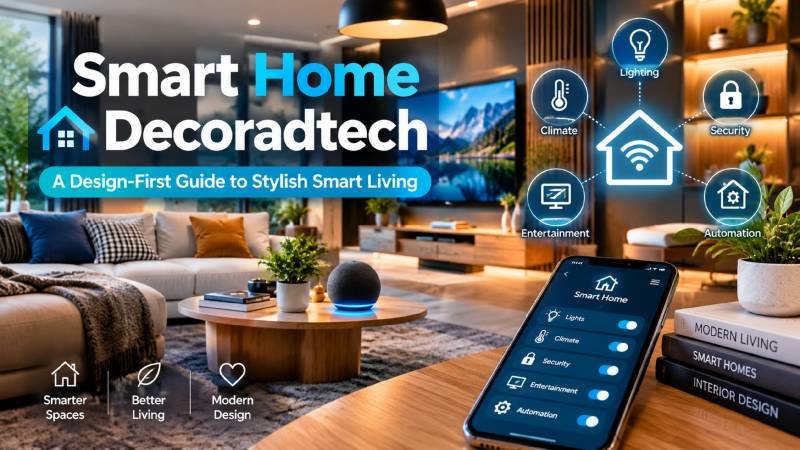
Smart Home Decoradtech:Most smart home advice starts with the gadget. That is backwards.
Buy a smart bulb because it is on sale, and you end up with three apps, two hubs, and a lamp that fights your wall color. Buy with the room in mind, and the tech disappears into daily life. That is the whole idea behind smart home decoradtech.
This guide explains the term, then shows you how to build a setup that looks intentional and actually works.
What Does “Decoradtech” Actually Mean?
Smart Home Decoradtech: Decoradtech is a blend of two words: decoration and advanced technology. It describes home upgrades where smart devices and interior design support each other instead of competing .
Put simply, it is a design-first approach. You integrate connected tech so it improves daily life without hurting how the space looks, feels, or functions.
Three things define it:
- Decor that works. Lighting, layout, and materials that change how a room feels.
- Tech with a job. Devices that solve one real problem — not ten imaginary ones.
- Reversible choices. Upgrades you can undo when you move or change your mind.
A note on the word itself: decoradtech is an informal blog term, not a certified standard. Treat it as a useful label, not a product category you can filter for on a store page.
Why This Idea Is Growing
Smart home gear got cheap. A decent smart plug now costs less than lunch.
Smart Home Decoradtech: At the same time, remote work pushed people to care more about the room they sit in all day. Comfort, energy bills, and home security all moved up the list.
So the question changed. It is no longer “Can I automate this?” It is “Should I, and will it look good?”
That shift is exactly what decoradtech tries to answer.
Rule One: Pick Your Ecosystem Before You Buy Anything
- Buy in the wrong order and you pay twice.People buy devices first, then discover they need three different apps to control them.
Choose one platform first:
- Apple Home
- Google Home
- Amazon Alexa
- Samsung SmartThings
The gap is closing.Matter is a shared smart home standard that lets certified devices describe themselves, pair securely, and work across Apple Home, Google Home, Amazon Alexa, Samsung SmartThings, and Home Assistant.
Matter vs. Thread in Plain English
These two get mixed up constantly. Here is the clean version.
Matter is the language. Thread is one of the roads it travels on.
Matter is an application-layer standard. It does not care which radio your device uses. Thread is a low-power mesh network built for battery devices like sensors and locks, and it is IP-addressable, which is what lets it talk to the rest of your network.
Do You Need a Hub?
Sometimes. It depends on the device.
Smart Home Decoradtech: Matter runs over Wi-Fi, Ethernet, or Thread. For Matter-over-Thread devices specifically, you need a Thread border router — a device that bridges the Thread mesh to your Wi-Fi or Ethernet network. Without one, those devices can only talk to each other, not to the internet or your controller.
Practical takeaway: many modern smart speakers, displays, streaming boxes, and mesh routers already include border router duties. Check before you buy a separate hub.
A Room-by-Room Starter Plan
Do not automate the whole house at once. Pick two rooms and do them well.
Living Room
Start with light. Smart bulbs and dimmers give you the biggest visual change for the smallest spend. Add motorized blinds if the room gets harsh afternoon sun. Keep speakers hidden or make them a design feature — never an accident.
Bedroom
Sunrise lighting and automated curtains do more for how you wake up than any alarm sound. Keep controls physical too. A wall switch everyone understands beats a voice command that only you know.
Kitchen
This is where practical beats pretty. Motion-sensor lighting under cabinets, a smart plug for the coffee maker, and a leak sensor under the sink. That last one is boring and possibly the most valuable device in the room.
Entryway
A video doorbell plus a smart lock solves real problems: packages, guests, and lost keys. Just check your lease before installing a lock (more on that below).
The Renter-Friendly Version
Roughly a third of households rent, and renters face a hard rule: no drilling, no rewiring, no plumbing changes.
The fix is portability. Buy devices that install in minutes and leave with you.
Two cautions from that same guide. First, never touch plumbing, electrical wiring, or major appliances in a rental. Second, security devices are usually fine because they mount with double-sided tape — but read your lease before installing a smart lock, since rules vary by location.
Hiding Hubs, Cables, and Cameras Without Ruining the Room
Visible cords undo good design faster than bad furniture. But you cannot just bury everything.
Here is the balance:
- Plan for heat. Hubs and routers need airflow. A sealed box will cook them.
- Plan for signal. Metal, mirrors, and thick walls kill Wi-Fi. Test the spot before you commit.
- Use furniture, not walls. Push a console or bookshelf in front of the outlet cluster. Free, instant, reversible.
- Route along baseboards. Adhesive raceways and fabric covers hide cable runs without a single drill hole.
- Give the router a home. A woven basket or a shelf inside a cabinet with a vent works. Just leave the antennas clear.
- Slow down on cameras. One well-placed camera beats four that make your home feel like a parking lot.
Budget Tiers That Actually Make Sense
You do not need a $2,000 starting budget. You need sequence.
Tier 1 — Free. Rearrange furniture, rehang curtains higher and wider, swap a cool-white bulb for a warm one. Zero dollars.
Tier 2 — Under $50. One smart plug, one smart bulb, one real plant, new cabinet pulls. This tier delivers the most visible change per dollar.
Tier 3 — $50 to $200. Smart thermostat, lighting starter kit, video doorbell, mesh Wi-Fi extender. Buy here only when you know the device fixes a daily annoyance.
Tier 4 — Wait. Robot vacuums, smart fridges, and connected appliances are great. They are also the easiest place to overspend. Wait until you know exactly what problem you are buying away.
Privacy and Maintenance: The Boring Parts That Matter
Two things get ignored, and both cause real problems later.
Privacy is a design decision, not a settings toggle. Where you place a camera or a microphone matters more than any checkbox. Do not put an indoor camera facing a hallway you walk through half-dressed. Do not put a smart speaker in a bedroom if you would not want it recording.
Maintenance is real. Batteries die. Firmware needs updates. Devices drop off the network. Build a five-minute monthly check into your routine: batteries, updates, and a quick look at which devices went offline.
Common Mistakes to Avoid
These come up again and again:
- Buying before choosing an ecosystem. You end up with app overload.
- Automating everything. Too many routines add friction instead of removing it.
- Removing physical controls. Guests and family members get locked out of basic functions.
- Ignoring the people you live with. A routine that only suits you is a routine that gets disabled.
- Hiding devices without thinking about heat and signal.
- Building complicated routines. When they break, you cannot figure out why.
- Naming devices badly. “Light 3” tells you nothing at 11 p.m.
- Forgetting maintenance. Batteries and firmware are not optional.
Final Word
Smart home decoradtech is not about owning more tech. It is about owning the right tech, placed well.
Start with one room. Choose one ecosystem. Buy one device that fixes one annoyance. Hide the cables. Keep a physical switch for the people who live with you.
Then stop. Live in it for a month. You will learn more from that month than from any buying guide — including this one. Visit decoradetech