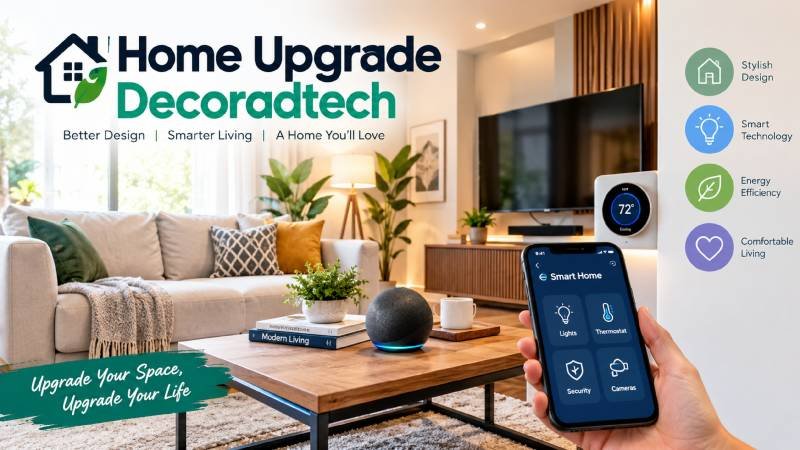
Home Upgrade Decoradtech: The word joins two others: decoration and advanced technology .
That is the whole idea. You improve how a room looks and how it works, at the same time.
It is not about stuffing a house with gadgets. It is about picking the few changes that solve a real problem and still look good.
The approach sits on three layers :
- Decor. Colour, layout, light, and fabric. The layer you see.
- Smart tech. Plugs, bulbs, locks, sensors, and thermostats. The layer that works.
- Small hacks. Cheap, fast fixes for everyday annoyances.
No design degree needed. No tech background either.
Start With a Problem, Not a Product
This one habit separates a home that works from a drawer full of half-used gadgets. A design-first project starts with a daily annoyance. The device comes last.
Ask three things before you spend anything:
- What goes wrong in this room every single day?
- What would “fixed” look like?
- Can I test that cheaply first?
If question one has no clear answer, you do not need the product yet.
What It Costs: Four Honest Tiers
Most guides say “budget-friendly” and then stop. Here are real numbers.
Tier 1: Free, and done in ten minutes
- Pull the sofa six inches off the wall. The room reads bigger at once.
- Rehang curtains higher and wider than the window frame. Cheap panels start to look costly.
- Move a lamp from one room to another. The fix is often already in your house.
- Clear one cluttered surface. Only put back what earns its spot.
Tier 2: Under $50, with visible payoff
| Upgrade | Typical cost | What changes |
| Cabinet pulls and knobs | 15–25 | Cabinets look far more expensive |
| Warm LED bulbs | 10–20 | A cold room turns cosy |
| Smart plug | 10–15 | Phone control for any lamp |
| Floating shelf | 20–35 | A bare wall starts to look planned |
| Pillow set | 20–40 | One large pattern, one small, one solid |
| Snake plant or pothos | 8–15 | A flat room gains depth |
50–200 smart picks
| Item | Typical cost | What you gain |
| Smart thermostat | 80–150 | Automatic heating and cooling |
| Lighting starter kit | 60–120 | Scenes, schedules, voice control |
| Video doorbell | 50–150 | Security, plus a resale talking point |
| Mesh Wi-Fi extender | 50–100 | Steady signal for every device |
| Peel-and-stick backsplash | 30–60 | Kitchen refresh, fully removable |
Home Upgrade Decoradtech: Whole-home energy management. Systems that pre-heat or pre-cool when power is cheapest, often paired with a home battery. This is where the real savings sit, not in single gadgets.
Earn your way down the list. Do not start at Tier 3.
A Cheap Trick: Test Before You Commit
Buy one smart plug. Put it on the lamp or appliance you think you want to automate.
Live with it for two weeks.
If you never open the app, skip the full upgrade. If you use it daily, you have proof. That $12 plug just saved you $200.
Room-by-Room Priorities
Technology should follow how a room is used, not lead it.
Entry
Home Upgrade Decoradtech: The entry sets the tone and collects the most mess. A doorbell, a smart lock, and one motion-triggered light cover most needs. Match the lock finish to your door hardware, or it will look bolted on .
Living room
Build scenes, not gadget piles. One for relaxing, one for guests, one for movie night. If your fixture is decorative, use a smart switch instead of a visible smart bulb. The original fitting stays intact.
Kitchen
Under-cabinet lighting is the best value here. It lights the worktop and looks built in. Add a leak sensor under the sink while you are at it. Smart plugs handle the small appliances you forget to switch off.
Bedroom
Light routines beat screens. A plug on the bedside lamp, a slow fade-in, and one physical switch you can hit without looking. Dimmable lamps do more than a single bright ceiling fixture.
Bathroom and utility
Motion-aware lighting, proper ventilation, and leak detection. Nothing clever. Just reliable.
Outdoors
Path lights on a schedule, gate status you can check from your phone, and irrigation tied to soil moisture instead of a fixed timer. You save water and lose fewer plants.
Choose One Ecosystem Before You Buy
This is the most expensive mistake. Buy devices one at a time with no plan, and you end up with mismatched switches, three apps, and cables in odd places .
Pick one platform first: Google Home, Amazon Alexa, or Apple HomeKit. Switching later hurts .
Then check the box for Matter and Thread. These standards let different brands talk to each other, so your setup survives your next phone change.
A hub that supports Matter, Thread, and Zigbee is worth more than a cheaper camera locked to one app.
Fix your Wi-Fi before buying anything smart. A mesh system is the dull purchase that makes everything else work .
What Is Actually Worth Buying in 2026
Energy management is still the top use case for connected home tech, according to design and tech professionals.
Other categories moving fast:
- Smart locks. Facial recognition entry is shifting from novelty to normal.
- Smart toilets. Listings mentioning them rose 23% year on year.
- Smart sprinklers. Up 8% in listings, driven by water costs.
- Air quality sensors. Cheaper and more accurate. Genuinely useful if you cook on gas.
- Circadian lighting. Lights that follow the sun instead of a fixed schedule.
These are the areas where the technology finally matches the promise.
The Hidden Costs Nobody Mentions
The sticker price is only part of it.
- Subscriptions. Some cameras and doorbells store nothing without a monthly fee.
- Batteries. Sensors, locks, and remotes all need replacements.
- Firmware. Devices that stop getting updates become e-waste.
- Guest access. Visitors need a way in that is not your phone.
- Offline behaviour. Check that basic functions work when the internet drops. Physical switches should always work.
Budget for these before you buy, not after.
What Adds Resale Value
Not every upgrade pays you back. Exterior work usually beats interior work.
Entry door replacement, manufactured stone veneer, and fibre-cement siding rank among the strongest returns. The National Association of Realtors publishes an annual Cost vs. Value Report that sets project cost against the value kept at resale. Worth a look before any big spend.
Smart devices help only when buyers recognise them. A thermostat, a doorbell, and a lock are understood. A niche hub with a subscription is not.
Eight Mistakes That Wreck a Good Upgrade
These come from common failure patterns:
- Buying devices before choosing an ecosystem.
- Automating things that were already easy.
- Removing physical switches and leaning on an app.
- Ignoring what other people in the house want.
- Hiding devices without planning for heat and signal.
- Building routines so complex you cannot fix them.
- Naming devices “Switch 12” instead of “Kitchen counter”.
- Treating privacy as a settings toggle instead of a buying decision.
One more from the design side: declutter before you decorate. If something new comes in, something old goes out .
Your First 30 Minutes
Do this today, in order:
- Pick the one room that frustrates you most.
- Write down the single biggest annoyance in it.
- Clear one surface completely.
- Rehang one set of curtains higher and wider.
- Swap one cool white bulb for a warm LED.
- Choose your ecosystem and write it down.
- Order exactly one device that solves the annoyance.
Do not order five. Live with one for two weeks. You will learn more in that fortnight than from any buying guide.
Final Word
A home upgrade decoradtech style is not a shopping list. It is a sequence.
Find the friction. Fix the layout. Add one device. Live with it. Then repeat.
The best homes are rarely the ones with the most technology. They are the ones where the technology disappears into the design, and you only notice it on the day something would have gone wrong.
So start small. Start today. Start with the room that annoys you most — and let the rest follow. Visit decoradetech